What is it?
ScreenPressor is a lossless video codec designed specifically for video screen capture (screencasts). It provides unprecedented
compression ratio while keeping 100% of original information. Quality of lossless compression makes ScreenPressor perfect for
use in online video conferencing and webinar applications. It's probably the best technical solution for video tutorials, presentations
and instant screen (desktop) sharing.
It's available as a codec or a library for Windows, Max OS X and Linux and can be used in most video recording and editing apps.
Lossless video compressed with ScreenPressor can be watched in a browser using our free web player.
News:
25 July 2023 the web player now supports v4 too.
30 October 2020 version 4.2 released with minor bugfixes.
1 July 2020 version 4.1 fixes a problem with encoding fully black screen.
In November 2018 version 4 was released, fixing a rare bug in v3. This version is free, no registration required.
In November 2017 a pure JavaScript implementation of the player was released, capable of decoding streams from v2 and v3 of ScreenPressor.
Lossless
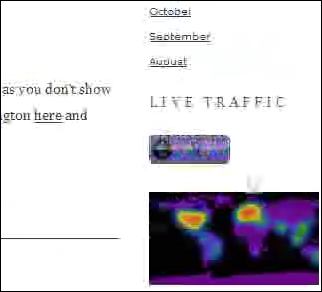
Most popular video codecs are lossy, like DivX, H.264, VC-1 or Theora. They irretrievably dispose of information they consider
unimportant to achieve desired compression rate. Providing acceptable quality for movies and video clips, lossy codecs perform
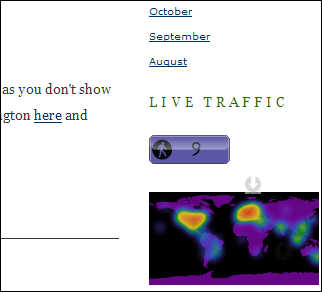
visibly poorer on screencasts. Lossless codecs, like ZIP files, keep all original information intact. Here's a real example (note the
size of compressed files):
|
Lossy compression (DivX, 970 kbps):
|
Lossless compression (ScreenPressor, 312 kbps):
|
Codec
A codec means compressor/decompressor and is not a standalone
application but a component used by other applications. After installation, ScreenPressor is easily found in the codecs list available
from all of your video capture and editing apps. Do not expect new icons to appear on a desktop or start menu (because, as
mentioned above, video codec is not a separate program).
To create highly compressed screencasts with ScreenPressor you may use
CamStudio (free),
HyperCam or other video capture applications.
Read more in tutorials section:
how to record screen in CamStudio.
If you already have some captured video you
can make its file size smaller by recompressing it without quality loss with
ScreenPressor using for example
VirtualDub (free).
Read a step-by-step instruction on how to recompress video.
ScreenPressor version 1.1 and higher allow for a simple way to open codec settings directly:
just run "\Program Files\ScreenPressor\spconfig.exe"
Compression
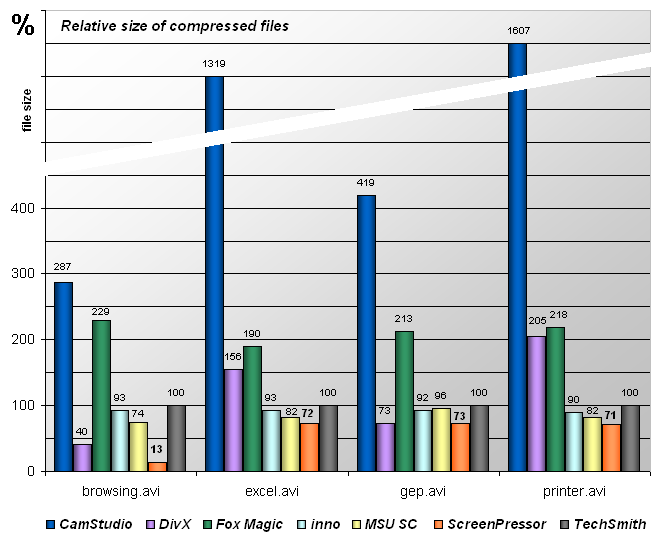
We compared ScreenPressor with popular lossless screen capture codecs as well as the most popular lossy codec (DivX, an
MPEG4 implementation) on a set of typical screencast files. Each of sample video files was compressed with seven codecs. Also,
for each video file, its compression with TechSmith Screen Capture Codec was taken for 100%. Results produced by other
codecs were measured in relation to the TechSmith codec's compression results, also in percent. Comparison is summarized in a
chart below. Since TechSmith is taken as 100%, lower percentage in this chart means better compression.
Codecs involved in the test:
- CamStudio - CamStudio Lossless Codec v1.4 (LZO mode)
- DivX - famous MPEG4 implementation, DivX v6.8.2.
For most files (except gep)
maximum possible in single pass compression was selected. In case of
gep file bitrate was set to the same value as ScreenPressor, but
picture quality was very bad whereas ScreenPressor kept it lossless.
- Fox Magic - FM Screen Capture Codec v 1.00 (maximum compression
mode for screen capture)
- inno - inno Screen Capture Codec v1.20 (maximum compression mode),
also known as WinCAM Video Codec
- MSU SC - MSU Screen Capture Lossless Codec v1.2
- ScreenPressor - our codec, version 2
- TechSmith - TechSmith Screen Capture Codec v2.0.6 (maximum compression mode)
All codecs worked with the same key frame interval of 200 frames.
Files used in comparison:
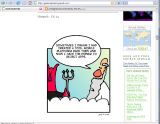
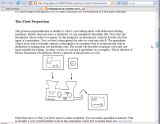
- browsing.avi - 932x720, 24bpp, 820 frames (0:54),
2107 KB
A web browser scrolling couple of sites with text and graphics.
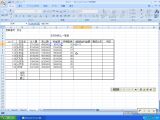
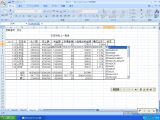
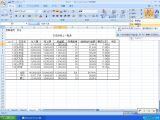
- excel.avi - 1016x765, 24bpp, 3000 frames (5:00),
1683 KB
Working on an Excel spreadsheet with added annotations.
- gep.avi - 1016x845, 24bpp, 2281 frames (2:32),
7537 KB
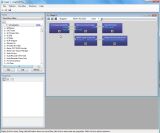
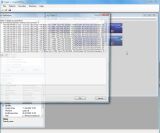
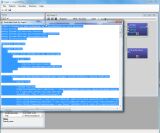
Using GraphEditPlus to build a youtube-to-avi converter in 2 minutes.
- printer.avi - 800x600, 16bpp, 1256 frames (2:05),
237 KB
Setting up a new printer in Windows 98.
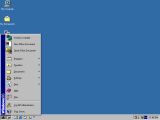 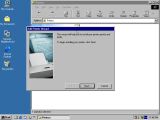 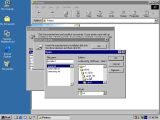
As you may see, on a typical screen capture ScreenPressor shows the best quality of
lossless compression. While lossy compression is known to be flexible in terms
of bitrate, it has lower bounds, which in many cases for screen capture are
very high compared to lossless codecs. In such cases lossless
ScreenPressor provides not only higher quality but also better compression
than lossy methods like MPEG4.
Compression speed of version 2
The seven codecs mentioned above were also tested for speed. Each codec decompressed video in its
own format and then compressed it back. The task was performed in VirtualDub
on a typical video (gep.avi). Next chart shows recompression speed in frames
per second on an Intel Core 2 Quad (Q8200) @ 2.33 GHz. Since it includes
both compression and decompression, the speed of compression only is approx.
twice higher.
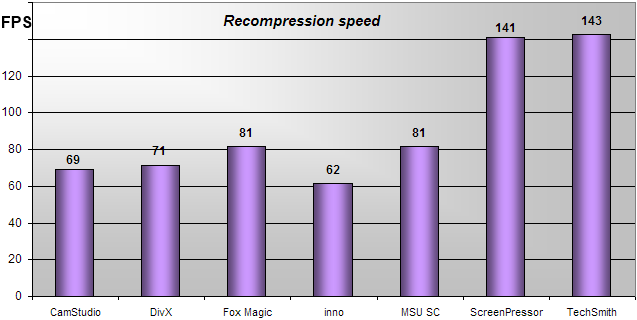
This test shows ScreenPressor 2 to be one of the fastest screen capture codecs.
Speed of version 3 and 4
In 2017 we changed the entropy coder and improved parallelism in compression code,
this way version 3 was born which is significantly faster, although the compressed files
end up a few percent larger than with v2.
On a Core i5 @ 2.4 GHz the video gep.avi from
the comparison above (2281 frames, 1016x845 pixels each) shows following recompression (decompress + compress) speed:
Version 2: 11 seconds recompression time, ~207 frames per second.
Version 3: 7 seconds recompression time, ~325 frames per second.
Another sample with typical screen content (some office work, some browsing scrolling images
and youtube page, some windows with text moving) vid_sp3.avi (6 MB)
- 675 frames of 1364x768 pixels, shows following recompression (decode+encode) speed on same Core i5, in frames per second:
| | 32-bit | 64-bit |
| Version 2 | 79 FPS | 52 FPS |
| Version 3 | 162 FPS | 176 FPS |
Encoding and decoding times are similar, so for purely encoding or purely decoding speed multiply these numbers by 2.
Effectively, in this test ScreenPressor 3 shows 300x lossless compression at 300+ frames per second.
Optional lossy modes
By default ScreenPressor is lossless, however it also includes some lossy modes.
One can adjust quality via settings dialog or via host application.
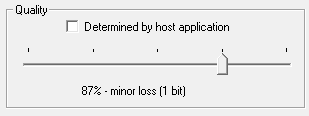
Different quality modes specify how many bits are to be thrown away from each
color channel. Quality parameter varies from 100% to 50% meaning throwing away
0 to 4 bits from each byte. Here is an example of the same video frame compressed
with 0 to 3 bits of losses:
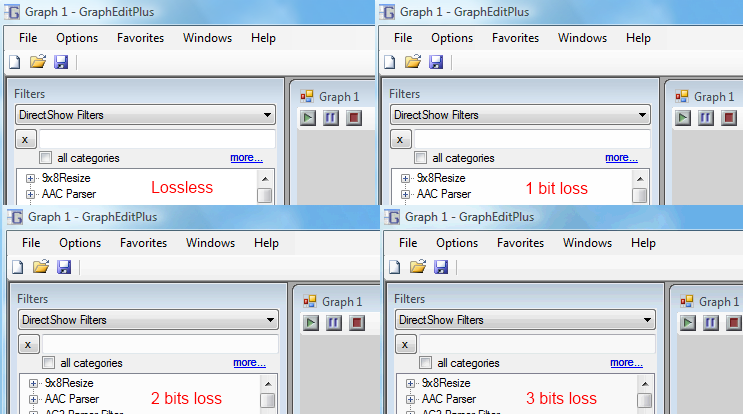
As you can see these losses are hard to notice. However they can decrease file size dramatically:
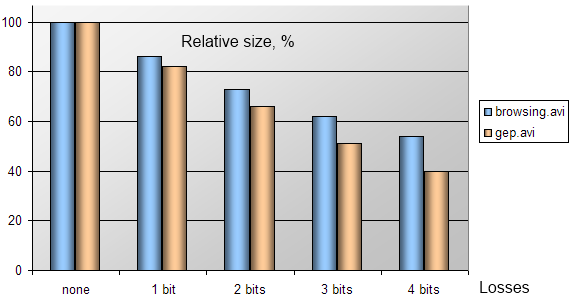
Applying some losses decreases entropy in video and makes compression not only stronger but also
faster, and decompression becomes faster as well.
Licensing
- For end users:
Since October 1st 2018 the codec is free for personal use!
- For developers:
If you want to use the codec in your product or service such as screen
recorder, VNC-like remote access application or
platforms for online collaboration and web conferencing, you may license
ScreenPressor and enjoy its compression power and
speed. The codec is available as Windows VfW codec (32 and 64 bits),
DirectShow filter, dynamic (DLL) or static library (both 32 and 64 bits)
for Windows, Mac OSX and Linux, or source code for all these platforms.
Please contact us for details.
History
Before ScreenPressor, world leadership in screen captured video compression was
held by MSU Screen Capture Lossless Codec. Now it's obsolete and not supported
anymore. The MSU codec's author Dmitry Popov, founder of Infognition Co. Ltd. (previously
known as Dee Mon), is also the author of ScreenPressor.
|