|

free, 0.5 MB,
Windows only
|

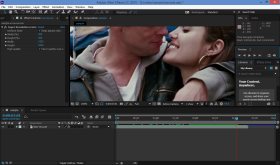
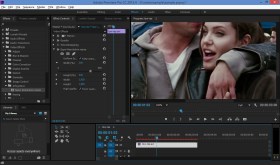
 Infognition SuperResolution plugin for Adobe After Effects (CS5 - CC2015) and Premiere Pro
allows to integrate SD footage shot at lower
quality into higher definition projects (e.g. convert SD video into HD or HD to 4K).
Super-resolution
method used for video upscaling actively employs motion estimation and high frequency image data fusion, producing a clear and
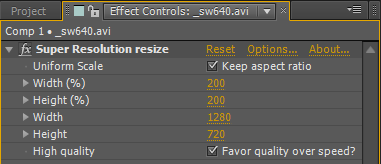
sharp result. Infognition SuperResolution is capable of upscaling videos to any desired resolution, instead of offering a limited
choice from a list of preset options. The plugin uses the same super-resolution engine as
Video Enhancer and our plugins for VirtualDub and AviSynth.
Infognition SuperResolution plugin for Adobe After Effects (CS5 - CC2015) and Premiere Pro
allows to integrate SD footage shot at lower
quality into higher definition projects (e.g. convert SD video into HD or HD to 4K).
Super-resolution
method used for video upscaling actively employs motion estimation and high frequency image data fusion, producing a clear and
sharp result. Infognition SuperResolution is capable of upscaling videos to any desired resolution, instead of offering a limited
choice from a list of preset options. The plugin uses the same super-resolution engine as
Video Enhancer and our plugins for VirtualDub and AviSynth.
How it works
The plugin obtains information from a number of neighbor frames to upsize each current frame. The algorithm analyzes and
accumulates information, thus the more sequential frames are processed while upscaling, the higher quality you finally get. When
first applied to a layer, Infognition SuperResolution takes just a few frames preceding the current one.
Here are some examples of 4x upsizing with Super Resolution:

|

|

|
|
Original
|
Original zoomed 4x
|
Uprezzed with SR
|
For more flexibility, video can be processed in 2 quality modes: High speed SR and High quality SR. These modes
differ in speed and resulting quality. The best quality is obtained in High quality SR. You'll see them work only
when "Resolution / Down Sample Factor" is set to "Full". In other modes (used for quick rendering in low resolution)
the plugin will use simpler intra-frame rescaling method.
Where it works
Current version of Infognition Super Resolution plugin was tested in After Effects CS5 and CC2015
as well as Premier Pro CC2015, and should work
in other Win64 versions of After Effects and Premiere Pro.
Warning:
this upsize method works only with progressive video. To apply the plugin to interlaced video, you should either deinterlace it or
separate fields and recombine them back after upscaling.
Quality comparison
Infognition's super-resolution technology (used also in Video Enhancer) has been compared
with several alternative video upsizing methods and solutions. You can
see the comparison here.
Registered and Unregistered versions
Infognition SuperResolution plugin is a try-before-you-buy software. You can download and test it
free of charge as long as you want. While unregistered, the plugin will add a watermark
(diagonal lines) over the result video. You can disable this watermark by
purchasing a license and entering your registration code.
News
August 11, 2016
Version 2.2. Fixed confusion with layer and clip sizes in Premiere Pro. Now it's really simple to use in Premiere Pro as well as After Effects. Also, published step-by-step tutorials for both hosts.
December 2, 2015
Version 2.1 released. Fixed some bugs that could cause crashes.
|
|
|
|